
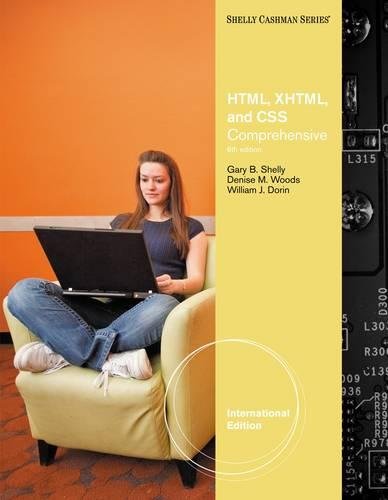
HTML, XHTML, and CSS COMPLETE Gary B. Shelly, Denise M. Woods.
Material type: TextSeries: Shelly Cashman seriesPublication details: Boston, MA : Course Technology/Cengage Learning : 2011Edition: Sixth editionDescription: 1 volume (various pagings) : color illustrations ; 28 cmISBN:
 - 9780538472418
- 0538472413
- 9780538747455
- 0538747455
- QA76.76.H94 S536
| Cover image | Item type | Current library | Home library | Collection | Shelving location | Call number | Materials specified | Vol info | URL | Copy number | Status | Notes | Date due | Barcode | Item holds | Item hold queue priority | Course reserves | |
|---|---|---|---|---|---|---|---|---|---|---|---|---|---|---|---|---|---|---|
 Books
Books
|
Methodist University Library Main General Stacks | Reference | QA76.76.H94 Sh3 (Browse shelf(Opens below)) | Available | 8088 | |||||||||||||
|
Books
|
Methodist University Library Main General Stacks | Reference | QA76.76.H94 Sh3 (Browse shelf(Opens below)) | Available | 8087 |
Browsing Methodist University Library Main shelves,Shelving location: General Stacks,Collection: Reference Close shelf browser (Hides shelf browser)

|

|

|
|

|

|
|
||
| QA76.76.H94 .N65 HTML5 for IOS and Android : | QA76.76.H94 .S73 Web publishing unleashed : | QA76.76.H94 Sh3 HTML, XHTML, and CSS COMPLETE | QA76.76.H94 Sh3 HTML, XHTML, and CSS COMPLETE | QA76.76.I57 .L38 The integrated solution | QA76.76.J38 .L52 Introduction to Java programming / | QA76.76.J38 .L52 Introduction to Java programming / |
Includes index.
1. Introduction to HTML, XHTML, and CSS. 2. Creating and Editing a Web Page Using Inline Styles. 3. Creating Web Pages with Links, Images, and Embedded Style Sheets. 4. Creating Tables in a Web Site Using External Style Sheet. Special Feature 1: Attracting Visitors to Your Web Site. 5. Creating an Image Map. 6. Creating a Form on a Web Page. 7. Using Advanced Cascading Style Sheets. 8. Multimedia. Special Feature 2: Converting Frames on Your Web Site. Appendices. A: HTML Quick Reference. B: Browser-Safe Color Palette. C: Accessibility Standards and the Web. D: CSS Properties and Values E: Publishing Web Pages to a Web Server.
There are no comments on this title.