
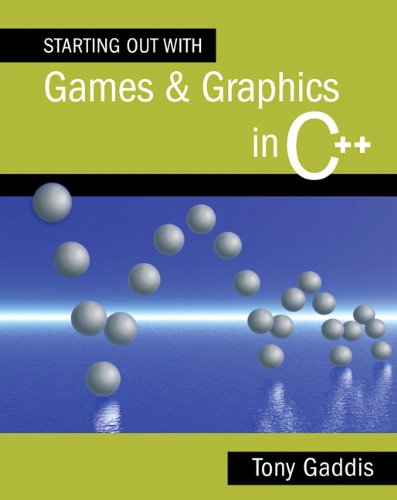
Starting out with games & graphics in C++ / Tony Gaddis.
Material type: TextPublication details: Boston : Addison-Wesley, c2010.Description: xvi, 703 p., [8] p. of plates : ill. (some col.) ; 26 cm. + 1 DVD-ROM (4 3/4 in.)ISBN:
 - 9780321512918
- 032151291X
- QA76.6 .G3148
| Cover image | Item type | Current library | Home library | Collection | Shelving location | Call number | Materials specified | Vol info | URL | Copy number | Status | Notes | Date due | Barcode | Item holds | Item hold queue priority | Course reserves | |
|---|---|---|---|---|---|---|---|---|---|---|---|---|---|---|---|---|---|---|
 Books
Books
|
Methodist University Library Main General Stacks | Reference | QA76.6 .G3148 (Browse shelf(Opens below)) | Available | 38269 | |||||||||||||
|
Books
|
Methodist University Library Main General Stacks | Reference | QA76.6 .G3148 (Browse shelf(Opens below)) | Available | 38308 |
Browsing Methodist University Library Main shelves,Shelving location: General Stacks,Collection: Reference Close shelf browser (Hides shelf browser)

|

|

|
|

|

|

|
||
| QA76.6 .F74 Programming for the absolute beginner | QA76.6 .G11 Starting out with programming logic and design / | QA76.6 .G3148 Starting out with games & graphics in C++ / | QA76.6 .G3148 Starting out with games & graphics in C++ / | QA76.6 .St1 Fundamental programming / | QA76.623 .Eu7 Genetic programming : | QA76.625 .D47 Internet & World Wide Web : |
Includes index.
Chapter 1: Introduction to Computers and Programming 1.1 Introduction 1.2 Hardware 1.3 How Computers Store Data 1.4 How a Program Works 1.5 C++ and the Dark GDK Library Chapter 2: Graphics Programming with C++ and the Dark GDK Library 2.1 Getting Your Feet Wet with the Dark GDK Library 2.2 The Screen Coordinate System 2.3 Basic 2D Shapes 2.4 Displaying Text 2.5 In the Spotlight: The Orion Constellation Program 2.6 The Program Development Cycle Chapter 3: Variables, Calculations, and Colors 3.1 Introduction 3.2 Literal Data 3.3 Variables 3.4 Calculations 3.5 In the Spotlight: Drawing Simple Bar Charts 3.6 Getting Values from Functions 3.7 Colors 3.8 In the Spotlight: Drawing the Italian Flag 3.9 Named Constants Chapter 4: void Functions 4.1 Modularizing a Program with Functions 4.2 Defining and Calling a void Function 4.3 Designing a Program to Use Functions 4.4 Local Variables 4.5 Passing Arguments to Functions 4.6 Global Variables and Constants Chapter 5: Working with Images 5.1 Introduction 5.2 Bitmaps 5.3 Images and Transparency Chapter 6: Control Structures 6.1 Introduction 6.2 Single-Alternative Decision Structures: The if Statement 6.3 Dual-Alternative Decision Structures: The if-else Statement 6.4 Nested Decision Structures and the if-else-if Statement 6.5 Repetition Structures: The while Loop and the do-while Loop 6.6 The Increment and Decrement Operators 6.7 Repetition Structures: The for Loop 6.8 Using the for Loop to Process Pixels in an Image 6.9 Logical Operators 6.10 The switch Statement 6.11 Numeric Truth, Flags, and bool Variables Chapter 7: The Game Loop and Animation 7.1 The Game Loop 7.2 Simple Animation 7.3 Controlling Objects with the Keyboard 7.4 Sprites 7.5 Cel Animation and Sprite Sheets 7.6 Sprite Collision Detection Chapter 8: The Vulture Trouble Game: Introducing Audio, Physics, and Text Effects 8.1 Introduction 8.2 Playing Sound Effects and Music 8.3 Simulating Falling Objects 8.4 Text Effects 8.5 The Vulture Trouble Game Chapter 9: Value-Returning Functions and Mouse Input 9.1 Writing a Value-Returning Function 9.2 Working with the Mouse 9.3 The Bug Zapper Game Chapter 10: Arrays and Tile Mapping 10.1 Array Basics 10.2 Sorting Arrays 10.3 Two-Dimensional Arrays 10.4 Tile Maps Chapter 11: Strings and Files 11.1 Working with Strings 11.2 Introduction to File Input and Output 11.3 Saving a Game's High Score Chapter 12: Object-Oriented Programming 12.1 Procedural and Object-Oriented Programming 12.2 Classes and Objects 12.3 An Object-Oriented Game: Balloon Target 12.4 Inheritance Appendix A: Downloading and Installing the Required Software Appendix B: The ASCII Character Set Online: Case Study: Scones McNabb Case Study: Object-Oriented Vulture Trouble.
There are no comments on this title.