
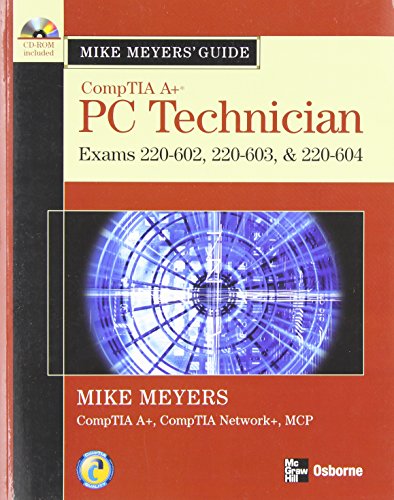
Mike Meyers' CompTIA A+ guide. Mike Meyers.
Material type: TextPublication details: New York : McGraw-Hill, c2007.Description: xix, 539 p. : ill. ; 28 cm. + 1 CD-ROM (4 3/4 in.)ISBN:
 - 9780072263589
- 007226358X
- QA76.3 .M465
| Cover image | Item type | Current library | Home library | Collection | Shelving location | Call number | Materials specified | Vol info | URL | Copy number | Status | Notes | Date due | Barcode | Item holds | Item hold queue priority | Course reserves | |
|---|---|---|---|---|---|---|---|---|---|---|---|---|---|---|---|---|---|---|
 Books
Books
|
Methodist University Library Main General Stacks | Reference | QA76.3 .M465 (Browse shelf(Opens below)) | Available | 30908 |
Browsing Methodist University Library Main shelves,Shelving location: General Stacks,Collection: Reference Close shelf browser (Hides shelf browser)

|
|

|

|

|

|

|
||
| QA76.3 .M453 CompTIA A+ certification : | QA76.3 .M453 CompTIA A+ certification : | QA76.3 .M46 Mike Meyers' CompTIA A+ guide to managing and troubleshooting PCs lab manual / | QA76.3 .M465 Mike Meyers' CompTIA A+ guide. | QA76.3 .O42 OCP developer PL/SQL program units exam guide / | QA76.3 .P17 MCSE guide to designing a Microsoft Windows 2000 directory service | QA76.3 .S2658 Sun certified system administrator for Solaris 10 study guide : |
Includes index.
Chapter 1: Getting to Know the A+ Exams Chapter 2: Installing and Troubleshooting CPUs Chapter 3: Installing and Troubleshooting RAM Chapter 4: Working with BIOS and CMOS Chapter 5: Installing Internal Devices Chapter 6: Installing and Troubleshooting Motherboards Chapter 7: Installing and Troubleshooting Power Supplies Chapter 8: Hard Drive Technologies Chapter 9: Installing and Troubleshooting Removable- Media Drives Chapter 10: Working with the Command-Line Interface Chapter 11: Windows Troubleshooting Chapter 12: Installing and Troubleshooting Video Chapter 13: Sound and Multimedia Chapter 14: Portable Computing Chapter 15: Maintaining and Troubleshooting Printers Chapter 16: Maintaining and Troubleshooting Networks Chapter 17: The Internet Chapter 18: Computer Security Chapter 19: The Complete PC Tech
There are no comments on this title.